For msids and Quranic associations
Know where each child stands, without the fqih writing a thing
After each recitation, the fqih taps a button. Parents see where their child stands, the association tracks its contributions. Thoumoun is free for associations.
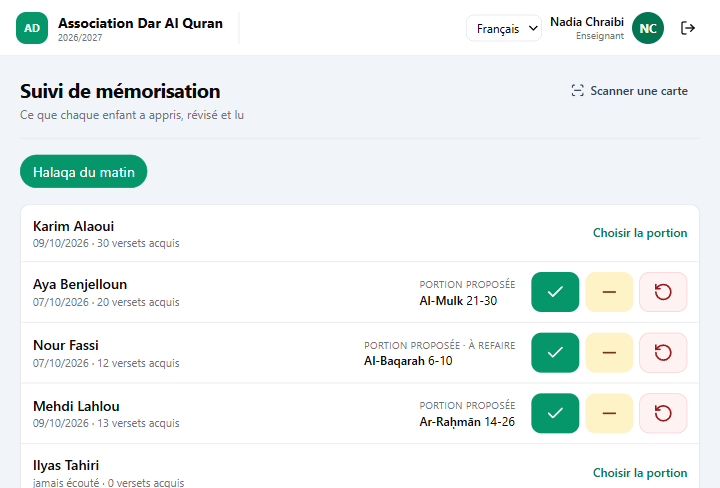
The quick session
Each child arrives with the portion that follows the last one. One button, and it is recorded.
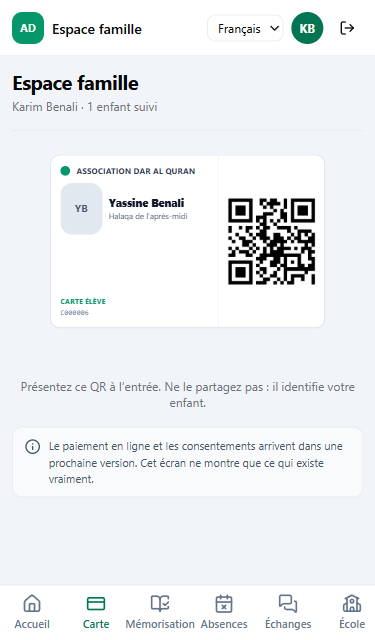
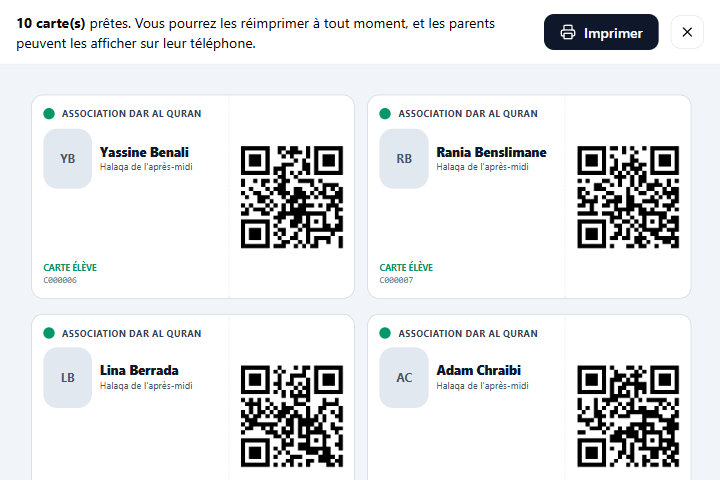
The child’s card
Printed by the office, or on the parent’s phone.
The family
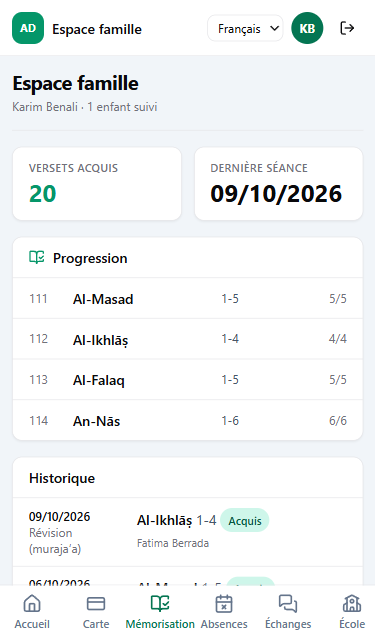
Parents see their own child’s progress, and only theirs.
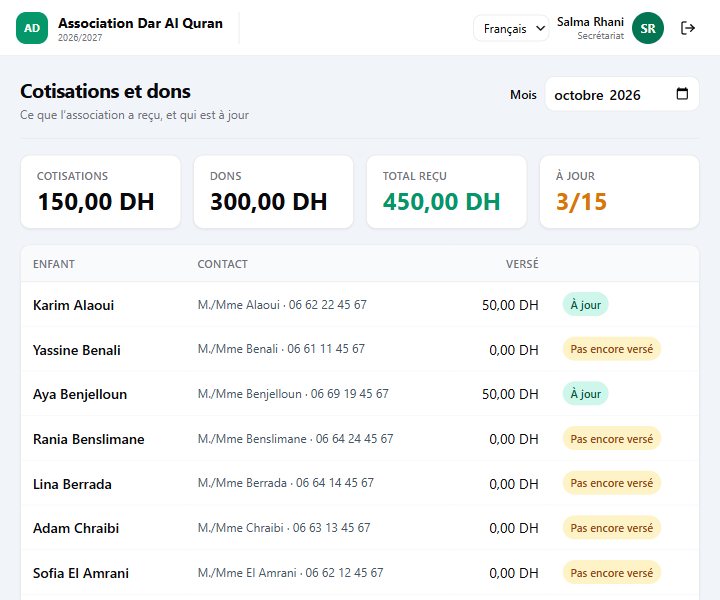
Contributions and donations
Who is up to date this month, and what the association received.
One button per child: the portion is already chosen
When the halaqa opens, each child appears with the continuation of their last portion: same surah, same length. The fqih listens, then taps mastered, fair or to review. It is recorded, with the date.
- 1
He listens
The child recites the suggested portion.
- 2
He taps a button
Mastered, fair or to review. A single tap, nothing to write.
- 3
The next one is suggested
If the portion is to review, Thoumoun suggests doing it again.
At the end of a surah, or for a child who is just starting, the fqih chooses the portion himself: the order of learning is your msid’s, Thoumoun does not guess it.
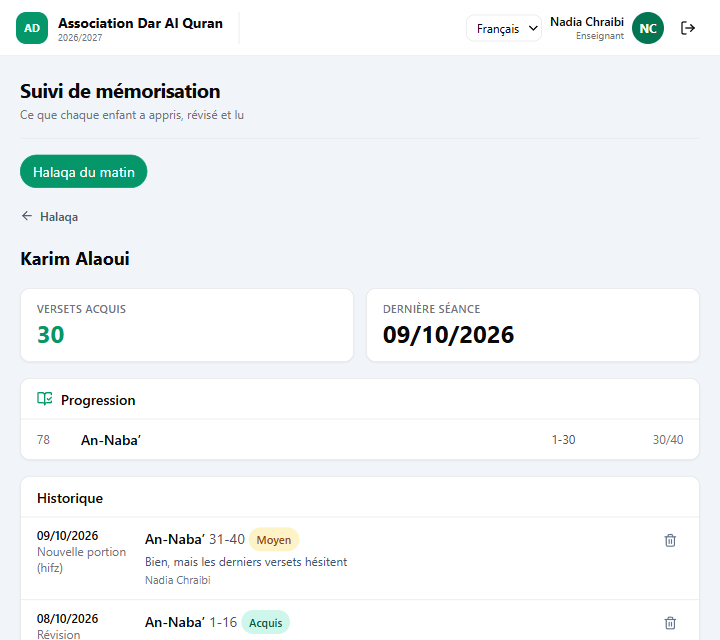
The child’s record: what is mastered, what needs review
For each child: the verses mastered surah by surah, the portions to review that stay in view until they are validated, and the history with the date, the kind of recitation and the fqih’s remark.
- New portion, review, reading
- Three kinds of recitation, recorded separately.
- A mistake is removed, it does not vanish
- The removed line keeps a trace: who, and when.
- Verses, according to your reading
- The number of verses of each surah follows the Warsh reading and is only a guide: you record what your msid follows.
A card for every child, printed or on the phone
The office prints the cards of a whole halaqa, bank-card size, with the child’s QR. The parent finds the same card on their phone. The fqih holds the card up to his tablet’s camera: the child’s record opens.
- Reprinting changes nothing
- A card’s QR is recomputed: a worn card is reprinted identically.
- Lost card
- It is revoked, it stops working, and another one is created.
- No equipment
- The QR is read with a phone or tablet camera. No reader to buy.
Parents see their child, and only their child
On the phone: progress surah by surah, the portions to review, the history of recitations. Read-only. A parent never sees another child, and a fqih only sees his own halaqat.
Roll call and absences
The fqih takes the roll of his halaqa on his tablet or phone. Families see their child’s absences and can justify them from the app.
Announcements and messages
The office publishes an announcement, it reaches the families concerned, and it sees who has read it. A parent can write to the association from their phone.
Contributions and donations, without complicated accounting
The office records what each family pays for the month, and donations, named or anonymous. Thoumoun shows who is up to date and who has not paid yet, and the total received.
- The expected amount is a guide
- It is only used to spot who is up to date. Without an amount, one payment is enough.
- Nothing is deleted
- A line is voided with a reason: it stays visible, struck through.
- Not accounting
- Thoumoun keeps the register of what is received. It does not replace your treasurer.
Free for associations, with no time limit
- Who for
- Associations that run an msid or a Quranic school.
- How much
- Nothing. No subscription, no setup fee, no time limit.
- How many children
- Up to 500. Beyond that, write to us.
- How
- You write to us, we see the association’s registration receipt, we open your account.
- Not included
- Grades, report cards, a school’s accounting and gate check-in: they are part of MadrassaDesk, for schools.
- Not there yet
- Tracking by hizb and thoumoun (today by surah and verse), and automatic WhatsApp or SMS messages.
Let’s open Thoumoun for your association.
Tell us the association’s name and how to reach you. We call you back to open the account.